Hideout
Deadlock custom games with friends: community modes and custom lobbies
Host a community mode like Bebop Wars on your PC, and your friends join with a code or an invite inside Deadlock. For a private normal match, there’s Valve’s Custom Match.
Checked against Deadlock’s Nov 24, 2026 update7 min readWindows, Linux
Everyone who plays needs Hideout. One of you hosts a mode like Bebop Wars, from Hideout or from Custom Match inside Deadlock. Friends join from the invite that pops up in their Deadlock, or with the code you send. For a private normal match, use Valve’s Custom Match and share its Invite Code.
Get Hideout on every PC
Everyone who plays needs Hideout on Windows or Linux, and Deadlock from Steam. A friend who doesn’t have Hideout yet can download it from your invite link. Hideout’s modes are Bebop Wars, Rooftop Rally, Pillars and Shattered Arena, and the custom games page describes each one.
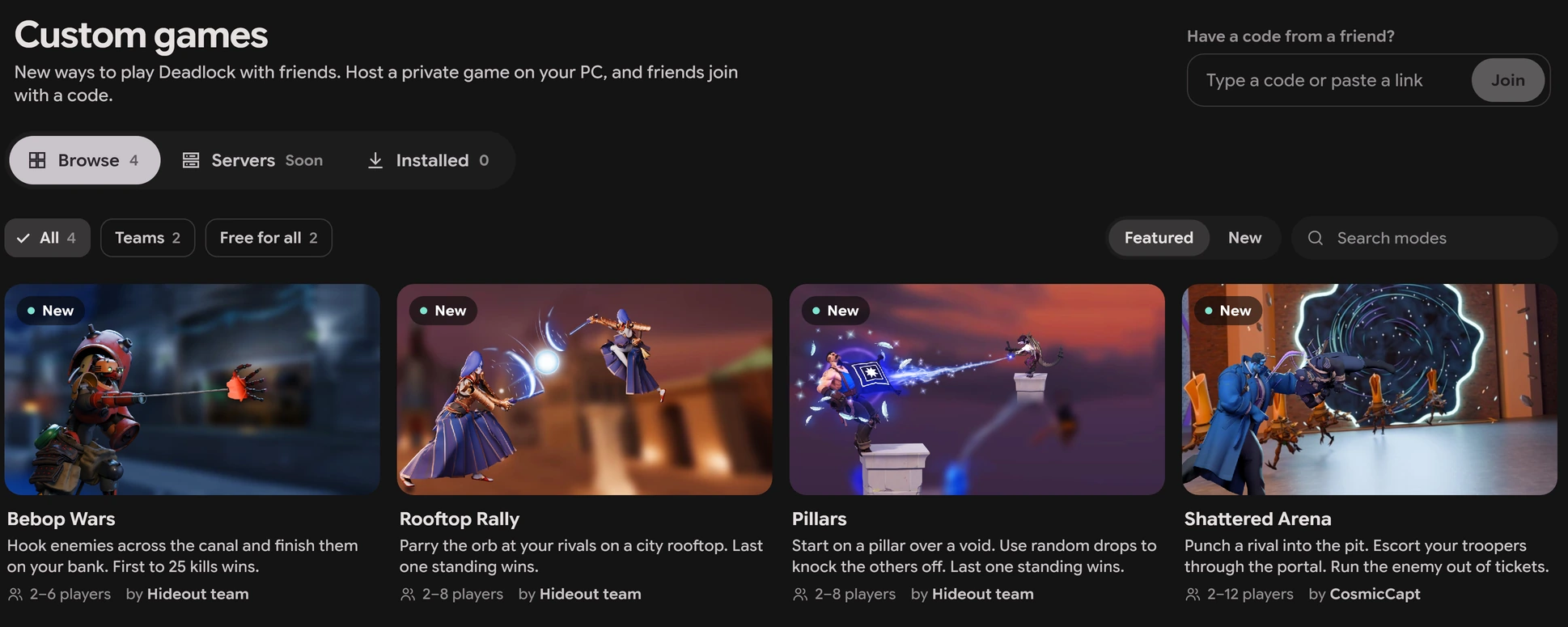
The first time you open Custom games, Hideout shows “Play Hideout games inside Deadlock”. Press Turn on to host and join from Deadlock’s own menus. Hideout adds a small menus file to Deadlock’s folder, and its games show up the next time Deadlock starts. The switch that turns them off again is in Hideout’s Settings › Experimental.
Host a game
Open Hideout games in Deadlock
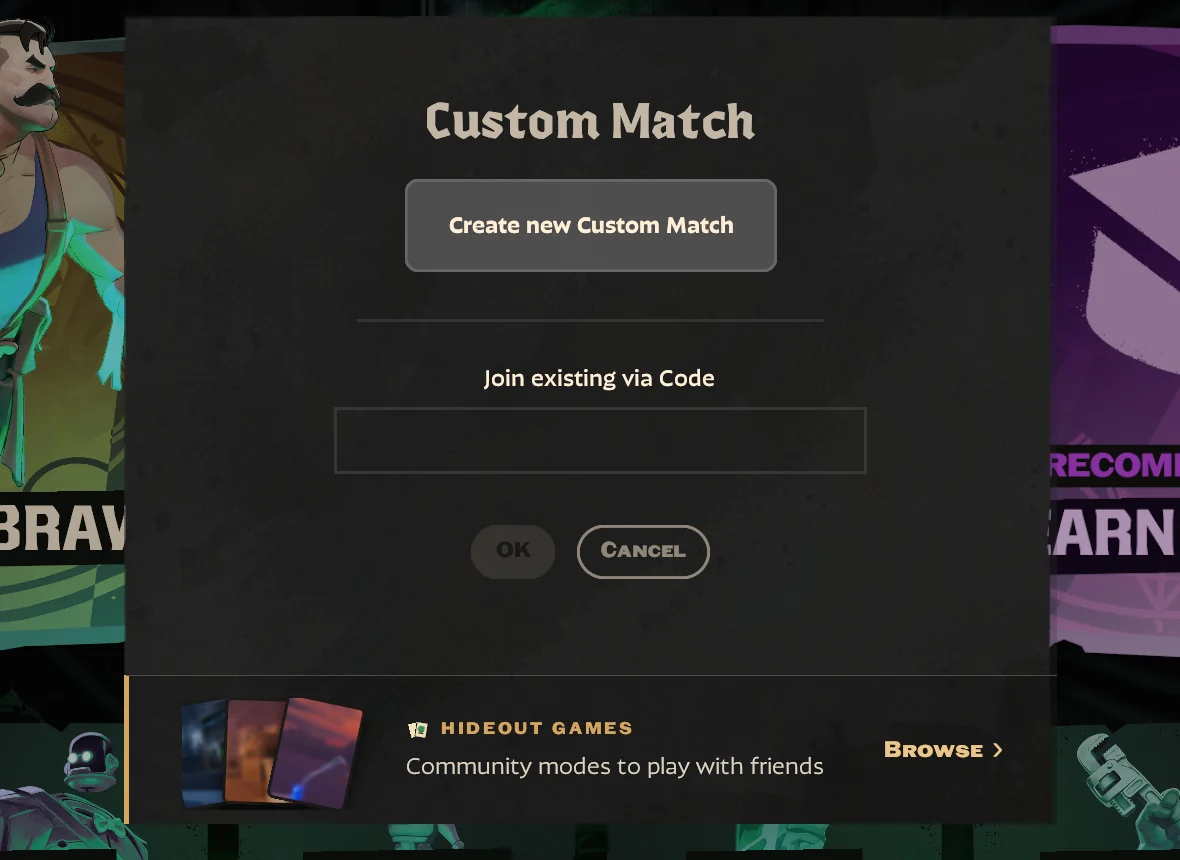
In Deadlock’s starting room, walk to the Play terminal, press E and pick Custom Match. Hideout games is the row at the bottom of the window. Press Browse.
Pick a mode and its settings
The modes are on the left. Pick one, then set its options, like Teams in Bebop Wars.
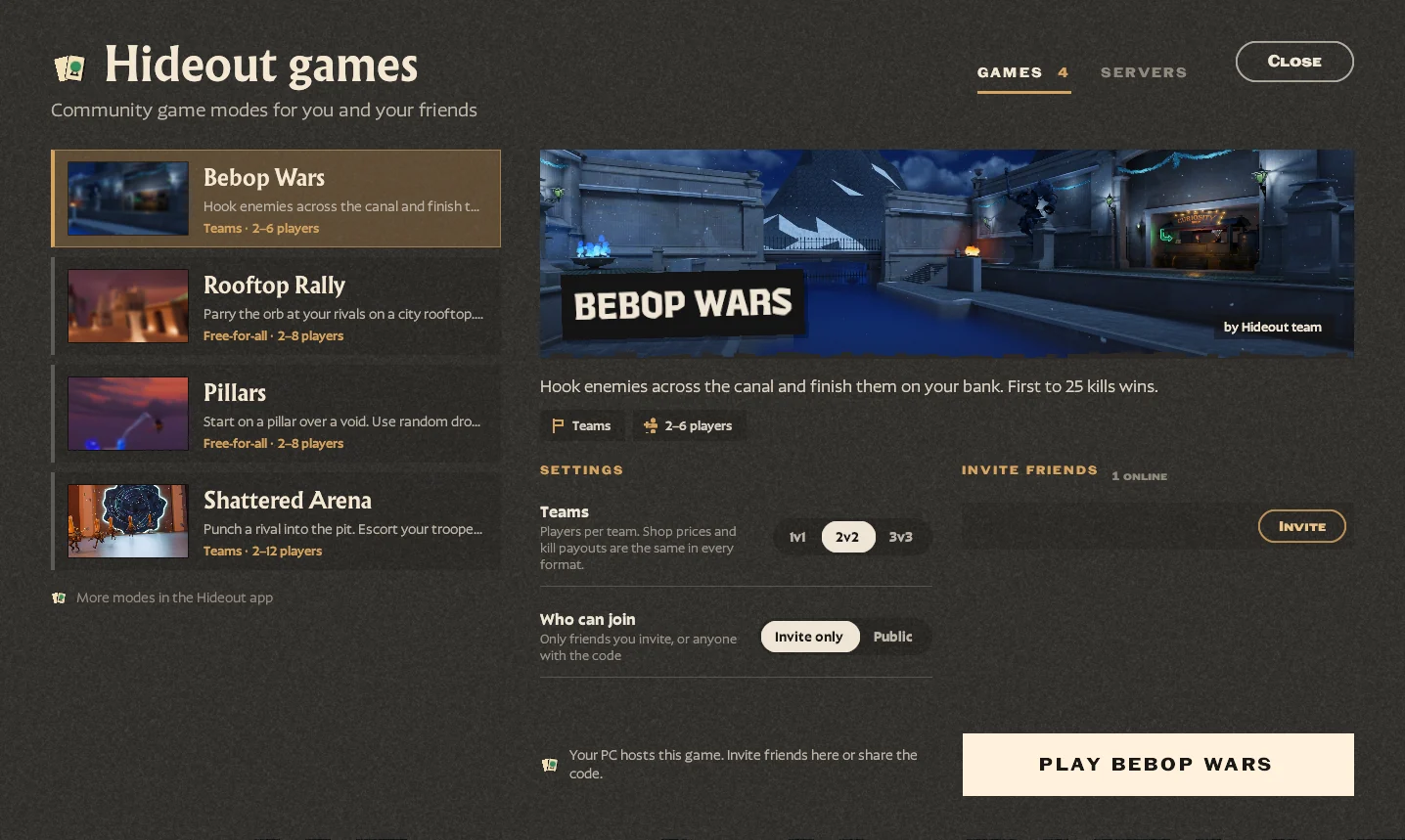
Bebop Wars picked in the Hideout games panel, set to 2v2. Invite friends
Friends who are online show under Invite friends. Press Invite next to each one you want. If their Hideout is open, the invite pops up in their Deadlock once your game is ready.
Press Play
The button has the mode’s name, like Play Bebop Wars. Your PC hosts the game, so leave Hideout open until you’re done.
You can also host from the app. In Custom games, pick a mode and press Host a game. Choose its options, then press Start game. Hideout downloads the mode, starts the game on your PC and opens Deadlock in it.
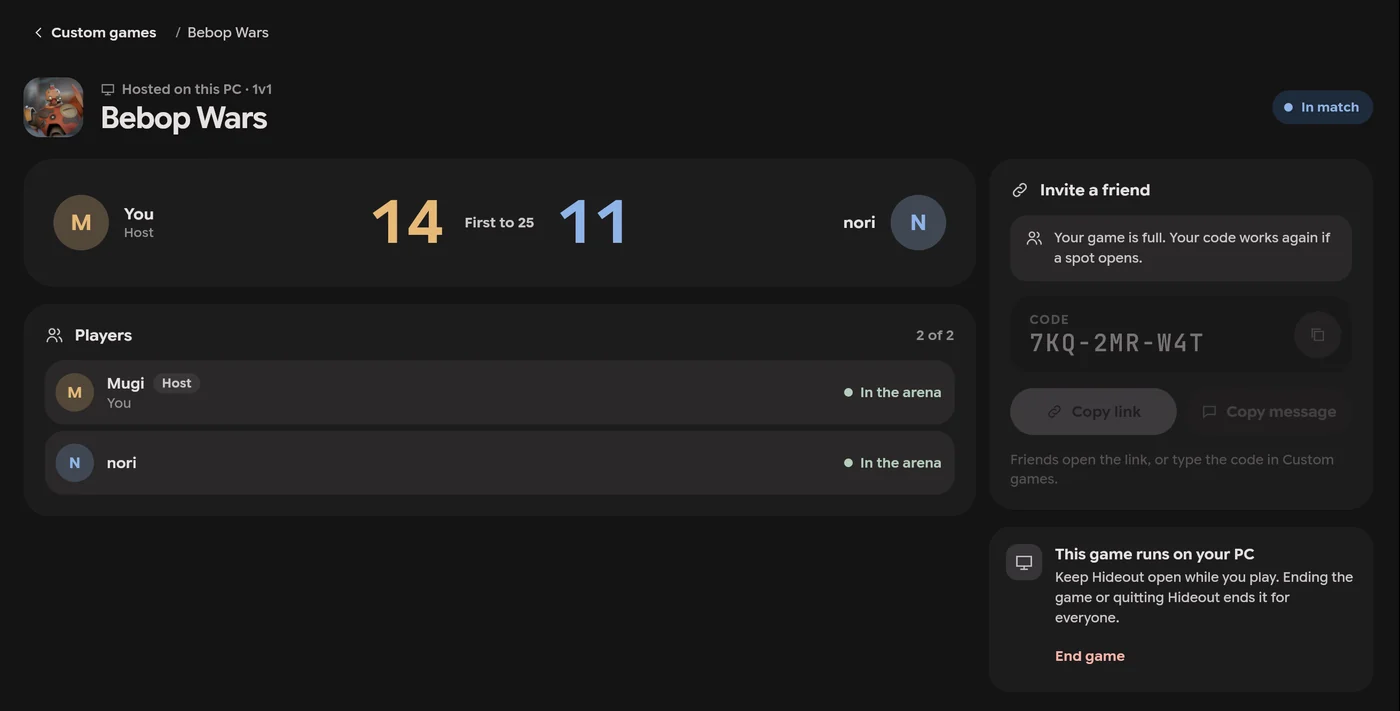
Either way, Hideout’s window shows your code, and it works once the game says Ready. Copy the code or the link and send it to friends you didn’t invite. A code is nine letters and numbers, like P95-MAN-26D.
Join a friend’s game
When a friend invites you, the invite pops up in Deadlock. Press Esc to free the mouse, then press Join.


To join with a code, open Custom games in Hideout and type it under “Have a code from a friend?”. Press Join, then Join game. A link works too. Open it and press Open in Hideout. Hideout downloads the mode and sends your Deadlock into the game.
Deadlock may restart once. If Deadlock is open without custom games set up, Hideout restarts it before you host or join. That happens the first time, and again after an update or another mod tool turns custom games off. Restarting leaves any queue you’re in.
Leave, stop or rejoin
Press Esc in Deadlock. A host gets Stop Hideout Game, which ends the game for everyone in it. A guest gets Leave Hideout Game, and the game keeps running for the others.
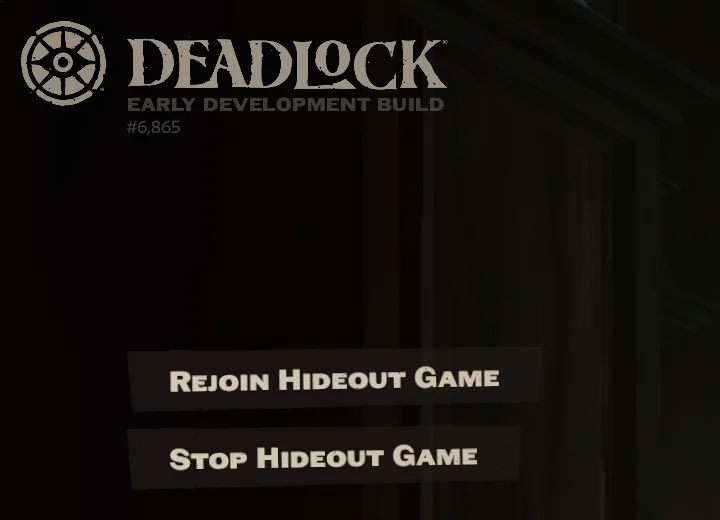
If you leave a game that’s still running, Rejoin Hideout Game in the same menu puts you back in. Deadlock’s starting room also shows a bar for the game, with Rejoin.

If the host quits Hideout, the game ends for everyone. A guest who drops out gets back in with the same code while the game runs.
Windows and Linux together
Windows and Linux players join the same games, and either one can host. In Hideout’s tests, a Windows PC hosted a Linux player, and a Linux PC hosted a Windows player. Nobody has to forward ports.
Windows firewall. The first time you host on Windows, Windows may ask about Hideout’s game server. Either answer works. Hideout doesn’t respond to clicks until you answer. Only the host gets asked.
Flatpak or Snap Steam. Steam from Flatpak or Snap can join games but can’t host them yet. Let a friend host instead.
Make a Custom Match lobby for a normal match
For a private normal match, you don’t need Hideout. In Deadlock’s starting room, walk to the Play terminal, press E and pick Custom Match. Press Create new Custom Match.
The lobby has an Invite Friends button and an Invite Code, hidden until you click the eye icon next to it. Friends with the code use the Join existing via Code box in the same Custom Match window. Dropdowns on the left set the region, bots, lanes, visibility, duplicate heroes, cheats, and whether you play Normal or Street Brawl.
Quick fixes
Find what you see on the left. Each fix links back to the section with the details.
| If you see… | Do this |
|---|---|
| No Hideout games row in Custom Match | Turn on Hideout games inside Deadlock in Hideout’s Settings › Experimental, then restart Deadlock. If Hideout says a mod changes Deadlock’s HUD or Custom Match screen, remove that mod or load it after Hideout. Get Hideout |
| Deadlock says a friend “couldn’t get your invite” | Press Copy link. It copies your invite link and opens a Steam chat with that friend, so you can paste it there. Host a game |
| Hideout says “Sign in to Steam to host” | Sign in to Steam with the account you play Deadlock on, then try again. Host a game |
| Hideout says “No game found” | Check the code with your friend. Their game may have ended, so ask them to host again and send the new code. Join |
| Hideout says “That isn’t a code” | Hideout codes have nine letters and numbers. If the code came from Valve’s Custom Match, it goes in Deadlock’s Join existing via Code box instead. Join |
| Hideout says “Hosting doesn’t work with this Steam yet” | Your Steam is from Flatpak or Snap. You can still join, so let a friend host. Windows and Linux |
Questions
How many players fit in a Deadlock custom game?
Hideout’s modes take 2 to 6 players in Bebop Wars, 2 to 8 in Rooftop Rally and Pillars, and 2 to 12 in Shattered Arena. Valve’s Custom Match has two teams of six, plus up to 8 spectators since the September 29, 2026 update.
Do I need the console to make a custom lobby?
No. Older guides use F7 and private_lobby_create, from before Valve added Custom Match to the menu in September 2024. Pick Custom Match at the Play terminal instead.